lapak777 Casino & Sportsbook Mobile App
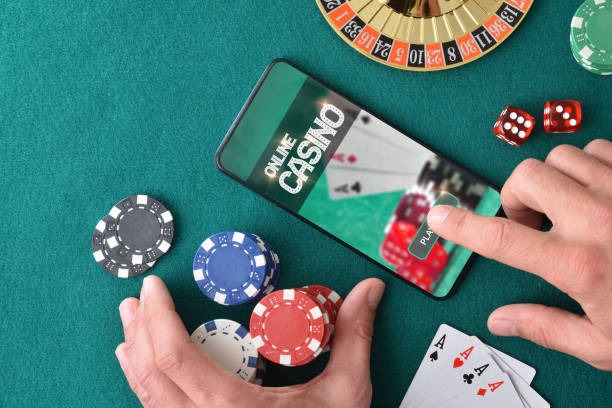
Mobile access to lapak777 reshapes how users engage with live-dealer tables and sportsbook markets. Our platform operates across Android, iOS, and web browsers, each path optimized for speed and reliability. Whether you're tracking Liga 1 fixtures from Jakarta or joining a live blackjack table during Idul Fitri, the app delivers consistent performance across devices and network conditions.
- StartFirst Game
- Update
- DownloadAPK
We at lapak777 recognize that most users access our platform from smartphones. Our mobile-first design prioritizes table stability, payment processing, and account security. The app supports DANA, e-wallet, mobile banking, and local payment alongside traditional bank transfers, ensuring payment flexibility across Indonesia's payment ecosystem. Live-dealer streams run on dedicated infrastructure; sportsbook odds update in real time.
This guide covers installation paths, device compatibility, common setup issues, and the security measures we apply to protect your account and data. Our services are available only where local law permits.
Getting lapak777 on Your Device
lapak777 offers three primary access routes: native Android APK download, iOS browser access, and responsive web app. Each path serves different user preferences and device constraints. Android users can download the APK directly from our platform; iOS users access lapak777 through Safari or Chrome without requiring App Store installation. Web-app users on any device can bookmark the progressive web app (PWA) for offline functionality and faster load times.
Installation options
- Android APK: direct download, full offline cache support
- iOS browser: no installation required, instant access
- Web PWA: bookmark for home-screen shortcut, push notifications

Why mobile matters for lapak777
Live-dealer tables demand low latency and stable video streaming. Our mobile app prioritizes connection stability over bandwidth, ensuring dealer video and game chat remain synchronized even on 4G networks. Sportsbook users benefit from push notifications for Liga 1 kickoffs, Piala AFF match updates, and game information shifts.
The app also stores your recent transactions, favorite tables, and betting history locally. This means you can review your account activity offline and rejoin a table instantly when connectivity returns.
Installation and Setup on lapak777
-
Download the APK or open the web app
Android users download the APK from lapak777; iOS and web users navigate to our domain in Safari or Chrome.
-
Install and grant permissions
Android: enable unknown sources in settings, then tap the APK. iOS and web: no installation step required.
-
Register or log in to your account
New users complete KYC verification (ID upload, address confirmation). Existing users enter credentials.
-
Deposit and start playing
Choose your payment method (DANA, e-wallet, mobile banking, local payment, or bank transfer) and fund your account.
Device compatibility spans Android 7.0 and above, iOS 12 and above, and all modern browsers (Chrome, Safari, Firefox, Edge). We test the app on mid-range and flagship devices to ensure consistent performance. Older devices may experience slower table loading or reduced video quality; we recommend updating your OS if you encounter lag.

App vs. Browser: Strengths of Each
The native Android app excels at offline caching and push notifications. Once you download the app, live-table layouts and game rules cache locally, so the app launches instantly even on weak networks. Push notifications alert you to new sportsbook odds, live-dealer table openings, and account activity. The app also integrates with your device's notification center, so you won't miss Liga 1 match alerts or Piala Indonesia updates. Browser access (iOS and web) requires no installation and updates automatically; you always run the latest version without manual APK updates. Both paths encrypt your session and support the same payment methods.
Common Setup Issues and Solutions
Android users occasionally encounter "Unknown sources" warnings. This occurs because the APK comes from lapak777 directly, not the Google Play Store. To proceed, open Settings → Security → Unknown Sources, enable the toggle, then retry the APK installation. Your device will verify the APK signature; this is a standard Android security check and does not indicate a problem with the file. After installation, you can disable Unknown Sources again.
Certificate trust errors on older Android devices (7.0–8.0) may appear if your system clock is incorrect. Verify your device date and time match your timezone, then restart the app. If the error persists, clear the app cache (Settings → Apps → lapak777 → Storage → Clear Cache) and reinstall. We use industry-standard SSL certificates; these errors are device-specific, not platform-wide.
Data, Permissions, and Account Security
The lapak777 app requests camera and microphone permissions only when you join a live-dealer table with video chat enabled. We do not access your contacts, photos, or location. All data transmitted between your device and our servers uses TLS 1.2 encryption. Your account credentials are hashed and never stored in plain text. When you register, we verify your identity through KYC (Know Your Customer) checks: you upload a government ID and proof of address. This verification protects both you and lapak777 from fraud and ensures compliance with local regulations. Your verified data is encrypted and stored separately from your gaming activity.
We recommend enabling two-factor authentication (2FA) in your account settings. 2FA adds a second verification step when you log in from a new device, preventing unauthorized access even if someone obtains your password. You can also set a withdrawal PIN in your account security panel; this PIN is required before any withdrawal request is processed. If you suspect unauthorized activity, contact our support team immediately and we will freeze your account pending investigation.

Payment Integration and Withdrawal Flow
lapak777 integrates DANA, e-wallet, mobile banking, local payment, online payment, e-wallet, and major Indonesian banks (mobile banking, local payment, online payment, e-wallet). Deposits process instantly; withdrawals are subject to verification windows and may take 1–3 business days depending on your bank. We do not charge withdrawal fees. If a withdrawal is delayed, check your account history for any pending KYC updates or unusual activity flags. Our support team can investigate specific withdrawal requests and provide status updates.
Full platform access
Blackjack, roulette, baccarat
Liga 1, MotoGP, badminton
DANA, OVO, GoPay, banks